Razorpay Payment Links & Subscriptions in Kerala
Collect payment over WhatsApp, SMS, or a recurring invoice — no website checkout required.
- check_circle
Payment Links you can send directly in a WhatsApp chat or SMS
- check_circle
Subscriptions for recurring billing, charged automatically on schedule
- check_circle
Both synced back into your accounting system, with no separate tracking sheet

5+ Years
Zoho Implementation Experience
No Website Needed
Start Collecting Instantly
Auto Reminders
For Unpaid Links & Renewals
Kerala-Based
Support Team
Why collecting payment without a website checkout gets messy
Not every business needs a full online checkout, but most still need a way to collect payment for orders, deposits, or recurring services. Without Payment Links or Subscriptions properly set up, that usually means bank details typed out by hand.
Common Failure Point
Sharing bank account details manually leaves no automatic record of the request, so unpaid amounts are easy to lose track of.
Bank details shared manually, with no record
A customer asks how to pay, and the answer is a screenshot of bank details over WhatsApp — with no tracking of whether or when it was paid.
Recurring clients are followed up by memory
Retainer or subscription clients are billed by remembering to message them each month, rather than an automatic, scheduled charge.
No reminder when a payment link goes unpaid
A link is sent once, and if the customer doesn't act immediately, there's no automatic nudge — it just gets forgotten by both sides.
Payments collected this way aren't recorded properly
Even when payment is received, it's rarely logged as a proper reconciled entry in the accounting system — it just sits as a bank transfer with no invoice trail.
One link to collect, one setup for recurring billing
We configure Razorpay Payment Links for one-off collections you can send over WhatsApp or SMS, and Subscriptions for retainer or recurring clients — both synced back into Zoho Books or your existing accounting system.
Talk to Us About Payment Linksarrow_forward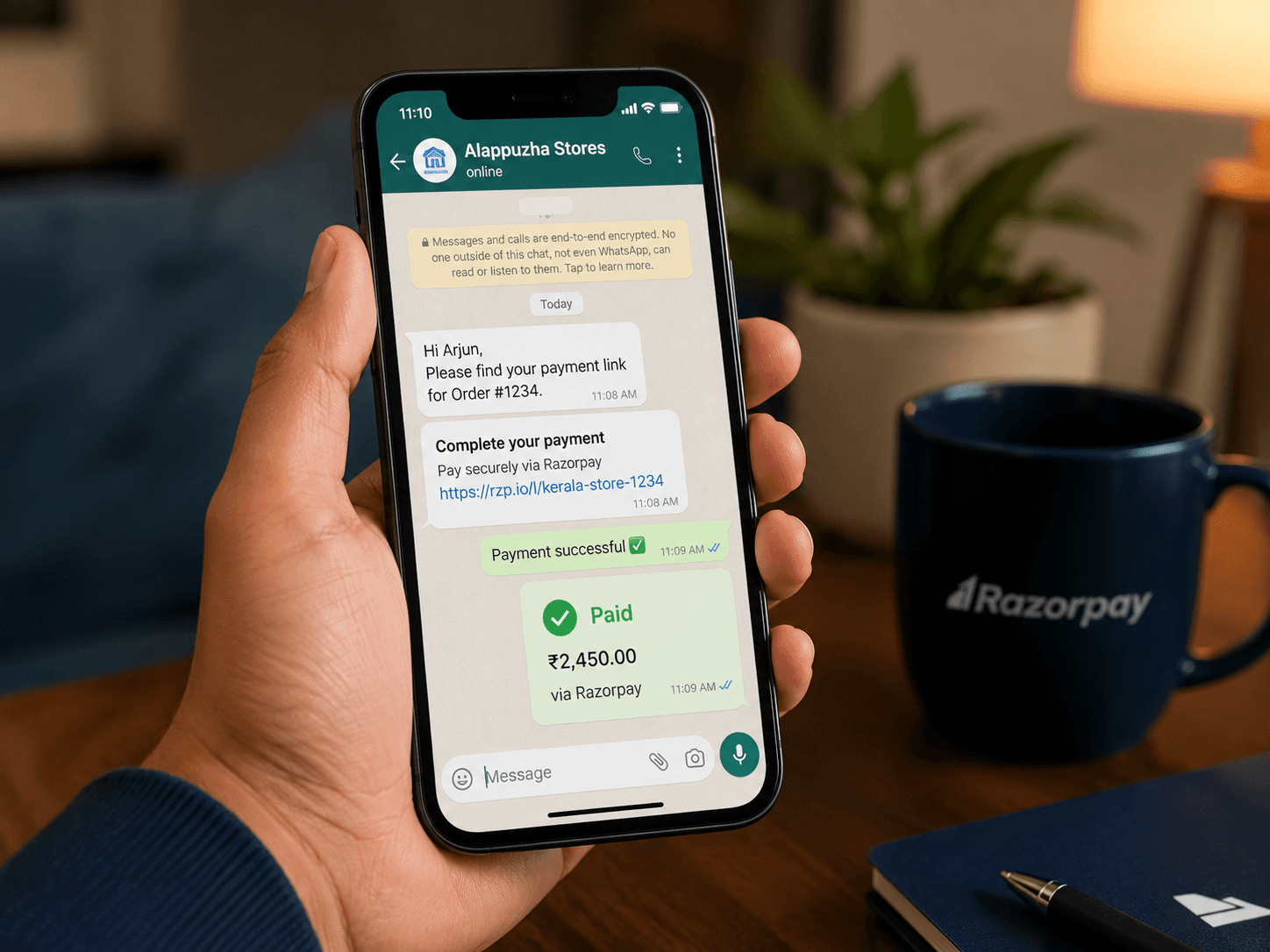
What changes with Payment Links and Subscriptions set up properly
Bank details are shared manually over call or WhatsApp, with no record of the request.
A Razorpay payment link is sent instantly and tracked automatically until paid.
Subscription or retainer clients are followed up manually each month.
Subscriptions bill automatically on schedule, with no manual follow-up needed.
A forgotten payment link means a lost or delayed payment, with no automatic nudge.
Automatic reminders follow up on unpaid links and upcoming renewals.
Payments collected informally aren't logged against any invoice or ledger entry.
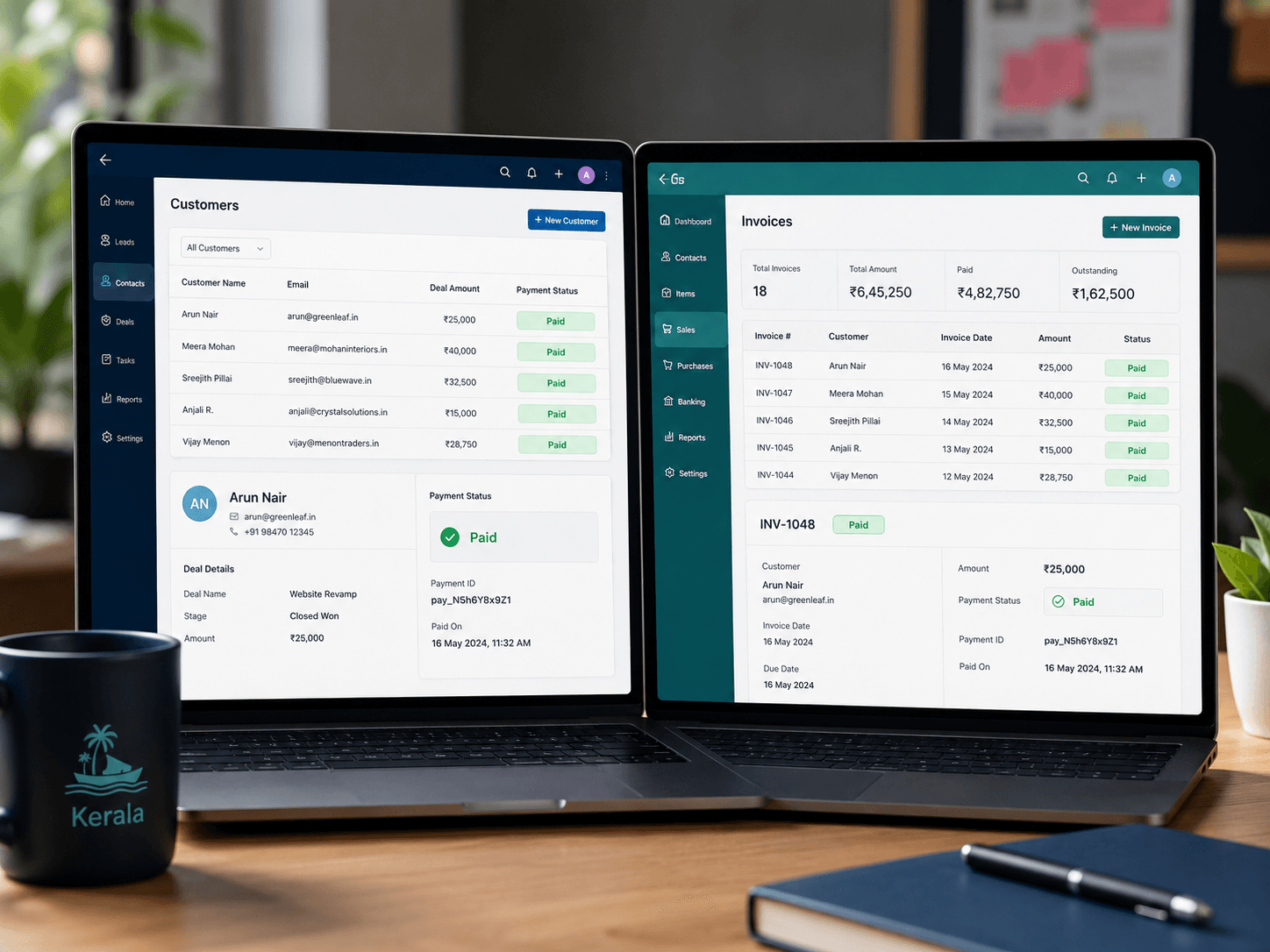
Every paid link or subscription charge syncs to your accounting system as a matched entry.
Our Payment Links & Subscriptions setup process
Collection Method Review
We map out where you need one-off Payment Links versus recurring Subscriptions across your business.
Link & Subscription Templates
Payment Link and Subscription templates are configured with your branding and correct amounts or plans.
Reminder & Accounting Sync
Automatic reminders and accounting sync are configured so paid links and charges reconcile without manual work.
Test Send & Handover
We test sending and paying a link end-to-end, then hand over a simple process for your team to send new ones.
Already on another platform? Or need something built from scratch?
Payment Links and Subscriptions can sync to Zoho, another CRM or accounting system, or a custom app we build for you. If you don't have a system in place yet, our development team can build one with Razorpay integrated from day one.
Payment Links & Subscriptions are one part of our full Razorpay integration service
We also handle gateway setup and reconciliation — usually as one combined project.
Also see: Gateway Setup · Reconciliation