Zoho CRM
implementation service partner in India
Pipeline clarity, follow-up ownership, and sales visibility — built around your actual sales process.
Tech Geum provides Zoho CRM services for businesses across all 28 states in India. We configure pipeline stages, automation rules, follow-up reminders, and management dashboards around how your team actually sells — not a generic template.
Four sales problems Zoho CRM solves that spreadsheets cannot
Before adding automation or integrations, most teams first need four basic things to work reliably. Zoho CRM makes each one structured and visible.
The problem
Lost follow-ups after the first call
What CRM does instead
CRM sets automatic reminders so every lead gets a second contact within the right window, regardless of how many other enquiries came in the same day. Nothing relies on memory.
The problem
No visibility on where each deal stands
What CRM does instead
Pipeline stages show deal age, expected value, and last activity so the sales head does not need to ask every rep for a status update in a daily meeting or over WhatsApp.
The problem
Quotation sent, then silence
What CRM does instead
Follow-up tasks and expiry reminders prevent quotes from ageing without action. Every unanswered quotation stays visible in the pipeline and gets flagged before the window closes.
The problem
Management reporting takes too long to compile
What CRM does instead
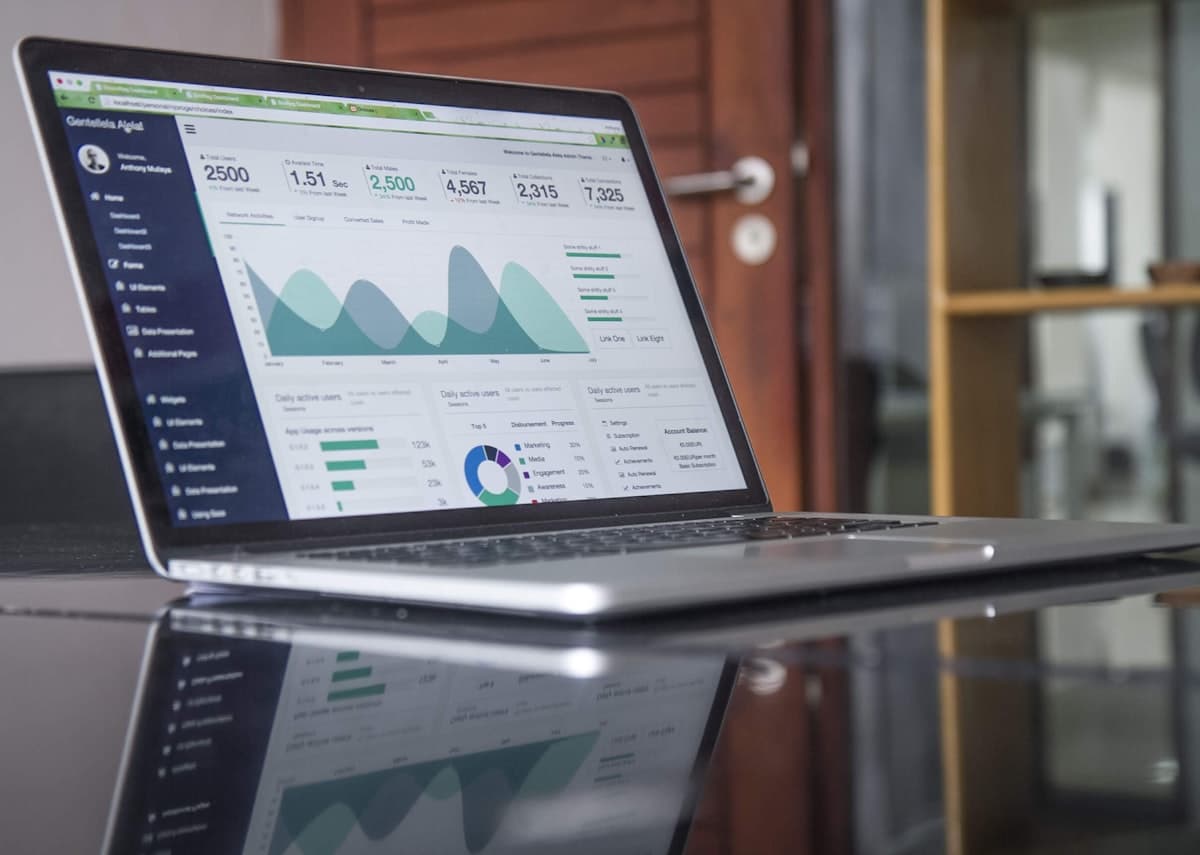
Dashboards pull real-time data on pipeline health, team activity, conversion rates, and pending actions without any manual spreadsheet work from the sales team or admin staff.
Which businesses get the most from Zoho CRM
Zoho CRM makes the most sense when more than two people are involved in a customer's journey and no single person has a complete picture of what has happened and what should happen next.
Trading and wholesale companies
Track dealer and contractor enquiries, quotation stages, order confirmations, and follow-up timelines without depending on individual memory or chains of phone calls to get a status update.
Retail and showroom businesses
Record walk-in interest, product enquiries, quotations, customer callbacks, and repeat-purchase follow-up in one place so every staff member and manager sees the same pipeline status.
Healthcare and education teams
Manage patient or admissions enquiries, appointment follow-up, consultation pipelines, fee status, and reminder sequences so admin staff and management always have full visibility.
Agencies and professional service firms
Connect lead sources, proposal stages, client communication, retainer renewals, and project status for service-driven businesses managing multiple client relationships at the same time.
What Zoho CRM gives growing businesses that spreadsheets cannot
Zoho CRM replaces the manual coordination layer — the calls, the Excel updates, and the WhatsApp threads — with a structured system where every lead has an owner, every follow-up has a date, and every manager has a live view.
Pipeline management
Map every sales stage from first enquiry to closed deal. See each lead's position, expected value, and last-activity date at a glance so the team knows where to focus follow-up effort every day.
Lead source tracking
Capture leads from website forms, WhatsApp, phone calls, and referrals. Tag each source and see which channels bring in enquiries that actually convert so sales and marketing stay aligned.
Automated follow-up reminders
Set automatic follow-up tasks, quotation-expiry alerts, and meeting reminders so no enquiry goes silent after first contact and every rep always has a clear next action in front of them.
Custom dashboards and reports
Build dashboards that show pipeline value, team activity, conversion rates, pending quotes, and deal age in real time. Management gets a live view without asking anyone to compile a status update.
Why Zoho CRM fits the Indian business context
Indian SMBs have CRM requirements that most global platforms were not designed around — INR pricing, WhatsApp-led sales, GST compliance, and multi-location distribution. Zoho CRM was built with the Indian market as a primary target.
Priced for Indian businesses
Zoho CRM is billed in INR and designed for the Indian market. The Standard edition starts at Rs 800 per user per month billed annually (Rs 1,300 billed monthly) — a fraction of USD-billed alternatives at current exchange rates, without feature compromise for most SMB use cases.
Built around WhatsApp-led sales
Most Indian sales teams run follow-up over WhatsApp. Zoho CRM connects with WhatsApp via SalesIQ and third-party bridges so enquiries that start on WhatsApp are captured and tracked — without asking your team to abandon the tool they already use every day.
GST-native when connected to Zoho Books
When Zoho CRM and Zoho Books are used together, deals won in CRM trigger invoices in Books with the correct GST split — IGST, CGST, or SGST — automatically applied. No manual re-entry of customer or order data between the two systems.
Multi-location visibility from one dashboard
Indian trading companies, distributors, and service chains often operate across multiple towns or states. Zoho CRM gives the owner a single pipeline view across all locations, branches, and sales reps without needing daily status calls from each branch.
Standard, Professional, Enterprise, or Ultimate — which edition fits your business
Prices below are Zoho India list prices per user per month, billed annually, as of September 2026, excluding GST — Zoho can change them at any time. The right edition depends on team size, automation requirements, and reporting depth — not just price.
Standard
₹800 / user / month
Billed annually · ₹1,300 billed monthly
Small teams (2–5 users) that need pipeline structure and follow-up discipline above WhatsApp and Excel.
- check_circlePipeline management
- check_circleLead and contact tracking
- check_circleWeb-to-lead forms
- check_circleBasic dashboards
- check_circleEmail integration
Professional
₹1,400 / user / month
Billed annually · ₹2,100 billed monthly
Growing teams managing quotes, multi-product pipelines, and marketing channels alongside CRM.
- check_circleInventory management
- check_circleSales forecasting
- check_circleGoogle Ads integration
- check_circleSocial CRM
- check_circleAdvanced reports
Enterprise
₹2,400 / user / month
Billed annually · ₹3,000 billed monthly
Larger teams with complex approval workflows, territory management, and deep automation requirements.
- check_circleAI assistant (Zia)
- check_circleCustom CRM portals
- check_circleCommandCenter workflow builder
- check_circleTerritory management
- check_circleAdvanced customisation
Ultimate
₹2,600 / user / month
Billed annually · ₹3,200 billed monthly
Businesses that need advanced BI dashboards and deep sales analytics alongside the full CRM suite.
- check_circleEnhanced Zoho Analytics
- check_circleAdvanced AI features
- check_circleExpanded storage
- check_circlePriority support
- check_circleFull feature set
Not sure which edition fits your team? We review your sales process and recommend the right tier before any commitment. Book a free consultation
What makes our Zoho CRM implementation different
Most CRM projects fail not because of the software — but because of how the implementation was handled. Our approach is built around the reasons CRM typically gets abandoned.
Process mapping before configuration
We review your actual enquiry-to-close flow, follow-up gaps, and reporting needs before touching the CRM. Configuration follows process — not the other way around. This is why our setups get used instead of abandoned.
Industry-specific pipeline design
A rubber trader's pipeline is different from an IT firm's and different again from a healthcare team's. We configure stages, fields, and automation rules to match how your business actually sells — not a generic template applied across industries.
Adoption support through the first 30 days
Most CRM implementations fail because reps stop using the system within weeks. We support adoption through the first month, refine what is not working in real usage, and train new team members as they join.
Full implementation, not just a license
Our Zoho CRM services cover pipeline configuration, data migration from Excel or existing CRMs, integration with forms and email, and user training by role. You get a working system — not a Zoho account with default settings.
What Zoho CRM connects with
A CRM that sits in isolation from your other tools creates a double-entry problem. Zoho CRM connects with the channels and systems your team already uses.
Enquiries that start on WhatsApp are captured into CRM leads via Zoho SalesIQ or third-party bridges. Follow-up history stays in the deal record — not on a personal phone.
Website enquiry forms
Every form submission creates a CRM lead automatically, tagged to the source page. No manual copy-paste and no missed enquiries during high-volume periods.
Email — Gmail and Outlook
Client email conversations are logged against the deal or contact record automatically. Every team member sees full communication history without asking the rep who owns the account.
Zoho Books
Deals won in CRM trigger invoice creation in Zoho Books with customer and order data carried across. No re-entry and no mismatch between what sales closed and what finance invoices.
Telephony via Zoho PhoneBridge
Calls made from CRM are logged with duration, recording, and notes attached to the contact record. Managers can review call activity without asking reps to fill in call logs separately.
Zoho Desk
Support tickets from existing customers link to their CRM account. Sales and service teams share the same customer view — deal history, open tickets, and communication in one place.
How we implement Zoho CRM
Sales process mapping
We review your current enquiry flow, follow-up behaviour, quotation stages, approval points, and reporting gaps to understand what the CRM setup should fix first and how the pipeline should be structured.
CRM configuration
We configure pipeline stages, lead fields, user roles, automation rules, follow-up reminders, and management dashboards to match your actual sales process — not a generic template.
Data migration and integration
We migrate existing lead and customer data from Excel, old CRMs, or registers, and connect Zoho CRM to your website enquiry forms, email accounts, and other tools where needed.
Training and post-launch support
We train each user role on daily CRM actions, support adoption through the first 30 days, and refine pipeline stages, dashboards, and automation rules as the team builds habits.
Zoho CRM coverage by state and district
Browse Zoho CRM implementation pages by state and district. Each district page covers the local business mix, common sales challenges, and the CRM rollout approach that works best for that area.
Zoho CRM in Thiruvananthapuram
IT, government, healthcare, and capital-city service teams
Zoho CRM in Kollam
Cashew, fisheries, tourism, and trading businesses
Zoho CRM in Pathanamthitta
Tourism, education, and NRI-linked small businesses
Zoho CRM in Alappuzha
Houseboat tourism, coir industry, and hospitality
Zoho CRM in Kottayam
Rubber trade, banking, publishing, and education hub
Zoho CRM in Idukki
Spice exports, plantations, and hill-station tourism
Zoho CRM in Ernakulam
IT, shipping, retail chains, and industrial parks
Zoho CRM in Thrissur
Gold and jewellery, banking, and cultural tourism
Zoho CRM in Palakkad
Manufacturing, rice trade, and contractor businesses
Zoho CRM in Malappuram
Trading, NRI businesses, retail, and healthcare
Zoho CRM in Kozhikode
Trading, retail, healthcare, and Cyberpark service teams
Zoho CRM in Wayanad
Eco-tourism, plantations, and agri-trade
Zoho CRM in Kannur
Handloom, plywood, beach tourism, and trading
Zoho CRM in Kasaragod
Coconut, fisheries, areca trade, and border commerce
Zoho CRM in Dubai
Trading, logistics, e-commerce, hospitality, and free-zone businesses across DMCC, DIFC, JLT, and Silicon Oasis
Zoho CRM in Abu Dhabi
Government contractors, construction, oil & gas, and large-enterprise teams across ADGM and Musaffah industrial zones
Zoho CRM in Sharjah
Manufacturing, publishing, education, and cost-conscious SMEs using Sharjah as a base for the wider UAE market
Zoho CRM in Ajman
Light manufacturing, trading, real estate, and price-sensitive SMEs in Ajman Free Zone and the wider emirate
Zoho CRM in Ras Al Khaimah
Ceramics, manufacturing, tourism, and RAKEZ free-zone businesses needing CRM across trade and hospitality
Zoho CRM in Fujairah
Port logistics, oil storage, fishing, and FFZA free-zone businesses needing pipeline visibility across supply chain
Zoho CRM in Umm Al Quwain
Fishing, agri-trade, small-scale manufacturing, and UAQ Free Trade Zone businesses
Four reasons Zoho CRM implementations fail — and how to avoid them
Most CRM projects do not fail because of the software. They fail because of how the rollout was planned and what happened in the first 30 days.
Pattern 1
Configured for management, not for reps
CRM built around what the owner wants to see rather than what makes a rep's daily follow-up faster. Reps stop entering data within weeks and dashboards become useless because the underlying data dries up.
Pattern 2
Too many required fields at lead entry
Every extra required field at lead creation adds friction at the point where a rep is busiest. When entry takes more than 60 seconds, reps fall back to WhatsApp threads. A minimal entry flow first — depth added as deals progress — is the fix.
Pattern 3
No data migration at launch
When existing leads and customer history are not moved into CRM at go-live, reps work two systems in parallel. The old Excel stays the source of truth. CRM becomes secondary and never gets adopted.
Pattern 4
Over-automation before the process is stable
Building complex workflows on top of a process the team has not agreed on creates automation that fires incorrectly. Sequences get switched off within days. Automate only after the manual process has run reliably for at least two weeks.
What Zoho CRM implementation typically costs
These are approximate planning figures. Final pricing depends on user count, pipeline complexity, automation depth, data migration effort, integrations, and training scope.
Cost Area
Zoho CRM license
Approximate Cost
Rs 800–Rs 2,600 per user/month billed annually (Rs 1,300–Rs 3,200 billed monthly)
What changes the price
Zoho India list price, Standard to Ultimate edition, as of September 2026, excluding GST. The edition depends on automation depth, AI features, forecasting tools, and reporting needs.
Cost Area
CRM implementation
Approximate Cost
Approx. Rs 25,000–Rs 1,50,000+
What changes the price
Depends on pipeline complexity, number of users and departments, data migration effort, custom fields, automation rules, integrations, and training scope.
Cost Area
Optional CRM add-ons
Approximate Cost
Approx. Rs 500–Rs 2,000 per user/month
What changes the price
For Zoho SalesIQ live chat, Zoho Campaigns for email sequences, Zoho Sign for proposals, or telephony integrations needed alongside core CRM.
Questions businesses ask about Zoho CRM in India
helpWhat is the difference between Zoho CRM Standard, Professional, and Enterprise?
Standard covers the core pipeline — leads, contacts, deals, web forms, basic dashboards, and email integration. It suits small teams that need structure above WhatsApp and Excel. Professional adds inventory management, forecasting, and Google Ads integration for businesses managing quotes and multi-channel leads. Enterprise adds AI (Zia), custom portals, and advanced workflow builders for teams with complex approval chains and automation requirements.
helpHow much does a Zoho CRM implementation cost in India?
As of September 2026, Zoho India list prices for the licence run Rs 800–Rs 2,600 per user per month billed annually (Rs 1,300–Rs 3,200 billed monthly), Standard to Ultimate, excluding GST. Implementation — covering pipeline setup, data migration, integration, and training — typically runs Rs 25,000–Rs 1,50,000 depending on team size, pipeline complexity, number of integrations, and data migration scope. We provide a scoped estimate after reviewing your current sales process.
helpCan Zoho CRM connect with WhatsApp and our website enquiry forms?
Yes. Website forms connect directly to CRM so every submission creates a lead automatically with source tagging. WhatsApp integration is available via Zoho SalesIQ or third-party bridges — enquiries that start on WhatsApp are captured into the CRM pipeline without the rep needing to manually log them.
helpDo we need to move off Tally if we implement Zoho CRM?
No. Zoho CRM handles the sales layer — leads, follow-up, pipeline, and deal management. Tally handles the accounting layer. Most businesses run both in parallel. If you want them to connect, Zoho Books is the bridge — deals closed in CRM can trigger invoices in Zoho Books, which can sync with Tally via available connectors.
helpHow long does a Zoho CRM implementation take from start to live?
A focused implementation typically takes two to four weeks from kick-off to go-live. This covers sales process review, pipeline configuration, lead field design, data migration from Excel or an existing CRM, integration with website forms and email, and role-by-role user training. For the first 30 days post-launch we support adoption and refine the setup based on real usage.
Real Zoho CRM implementations by Tech Geum
How we structured lead capture, follow-up ownership, and sales reporting for businesses across India and the Gulf.
What clients say about our Zoho CRM work
Real feedback from businesses we set up on Zoho CRM.
Feamish Tours and Travels
Muhammed Shafi
“We have worked with Tech Geum on multiple projects across our organisations in the UAE, Qatar, and Oman. Their team has provided excellent support in implementing and optimising Zoho CRM and SalesIQ for our travel business. They are highly professional, responsive, and committed to delivering quality solutions.”
Comfins
Vineeth
“We are extremely pleased with the professionalism and support provided by the team at Tech Geum. The implementation of Zoho Books and Zoho CRM has significantly improved our ability to connect and engage with our customers more efficiently.”
Candidzone
Manhar
“By implementing a customised CRM solution, our business processes have become significantly more automated, including proposal management and client handling workflows. Their team also set up a performance monitoring system and advanced analytics dashboards to track and evaluate our sales team.”
Choice Air Conditioners
Mejo
“We are extremely satisfied with the Zoho CRM implementation service provided by Tech Geum. The team understood our requirements clearly and completed the project smoothly with excellent support and professionalism. Highly recommended for Zoho solutions and implementation services.”
Ready to structure your sales process in Zoho CRM?
We will map your sales process, configure the right pipeline, and build a CRM setup your team will actually use every day.
Related Zoho pages
Zoho Implementation
Scoping, configuration and go-live in five defined stages.
Zoho Data Migration
Bringing customers and pipeline across from Excel or an older CRM.
Zoho Training
Role-based sessions — sales adoption is won in the first month.
Zoho Partner in Kerala
Our partner practice across all fourteen districts.