Part of our Apple Pay India series. Start with the complete Apple Pay India guide for the launch details, supported devices and merchants.
Apple Pay in India works like it does elsewhere: add a card once, then pay with a double-click and a glance. The one Indian catch is the card itself, because only eligible Axis Bank credit cards work so far.
What you need
- An iPhone: iPhone XR or later with iOS 18 or later.
- An Apple Watch, optionally: Apple Watch Series 6 or later with watchOS 11 or later.
- An eligible card: an Axis Bank Visa or Mastercard credit card. Other banks aren’t supported yet. See which banks support Apple Pay in India.
- An Apple Account signed in on the device.
Add a card on iPhone
From the Wallet app
- Open the Wallet app and tap the Add Card button (the plus sign).
- Tap Continue.
- Hold your card near the iPhone, scan it with the camera, or enter the details manually.
- Complete your bank's verification. Axis Bank may ask you to confirm with an OTP or in its app.
From the Axis Bank app
Update to the latest version of the Axis Bank app and look for the option to add your credit card to Apple Wallet. Apple says this adds the card to Wallet directly, without typing the card details.
Why your bank asks for verification
RBI rules require your explicit consent, confirmed with an additional factor, before a card is turned into a device token. That’s the one-time check you see when adding the card, not a charge.Add a card on Apple Watch
- On your paired iPhone, open the Apple Watch app.
- In the My Watch tab, tap Wallet & Apple Pay.
- Tap Add Card, then Continue.
- Add the card and verify it with your bank if asked.
The watch gets its own token, separate from the iPhone’s, so you can remove it from one device without affecting the other.
Pay in a shop
- Look for the contactless symbol on the card terminal.
- Double-click the side button, or the Home button on older iPhones.
- Confirm with Face ID, Touch ID or your passcode.
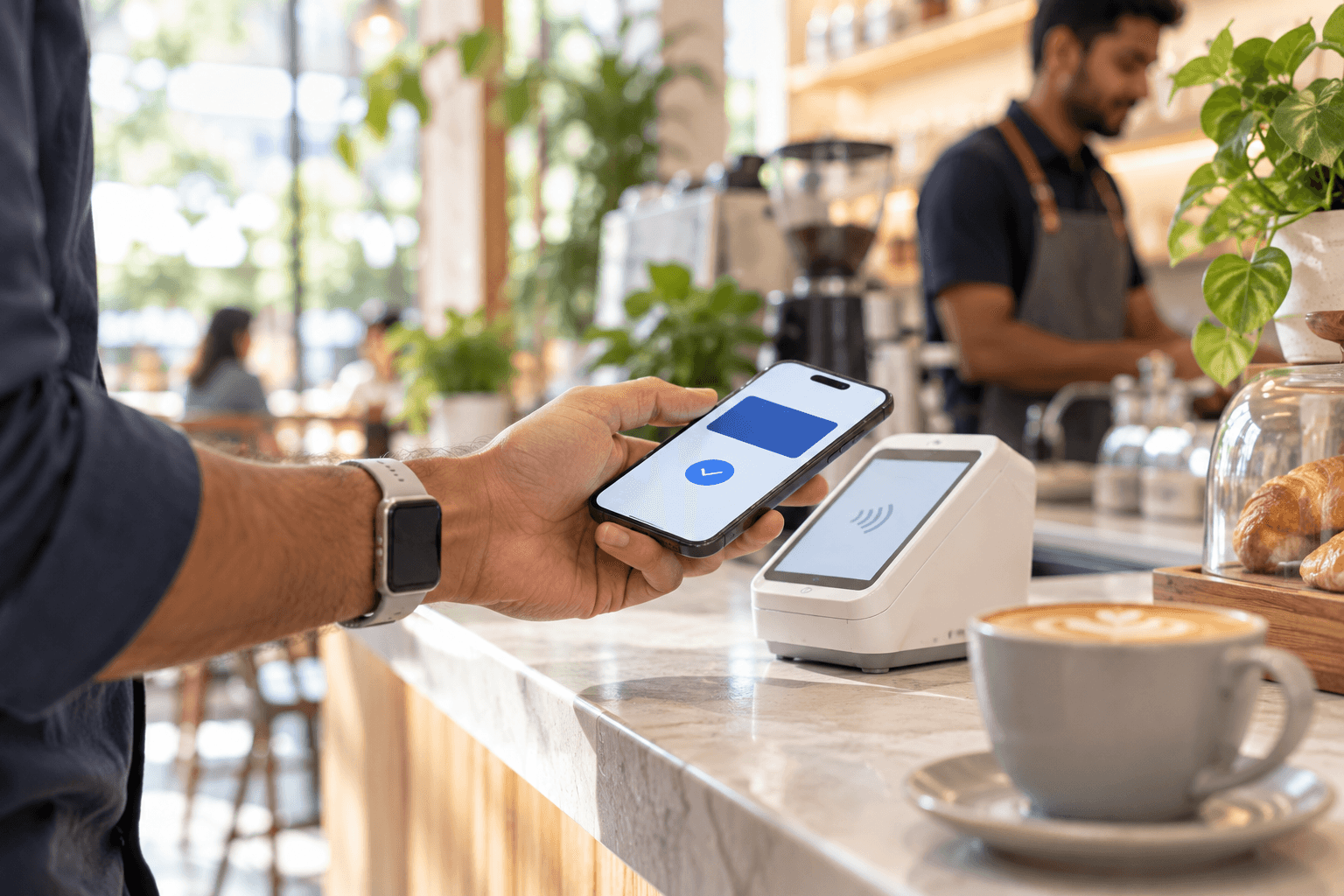
- Hold the top of the iPhone near the reader until you see Done and a tick.
On Apple Watch, double-click the side button and hold the display near the reader. Your phone doesn’t need an internet connection at the counter.
Apple says you can pay without a PIN or OTP. For contactless card payments, RBI rules have allowed payments up to ₹5,000 without an additional check since January 2021. For larger amounts, your bank decides what verification it needs.
Pay in apps and online
- At checkout, choose Apple Pay or tap the Apple Pay button.
- Check the card, delivery address and contact details on the payment sheet.
- Double-click the side button and confirm with Face ID, Touch ID or your passcode.
On iPad, Apple Pay works in apps and in Safari, but not at shop terminals. On a computer with a browser other than Safari, choose Apple Pay and scan the QR code with your iPhone to finish there.
If your phone is lost
Open Find My on another Apple device or at icloud.com/find and mark the phone as lost. That suspends Apple Pay on it. The thief can’t pay without your Face ID, Touch ID or passcode anyway, but Lost Mode closes the door completely. You can also report the lost device to Axis Bank, which RBI rules require card issuers to make easy.
For how the token and biometric checks protect you, read is Apple Pay safe in India.
Troubleshooting
- “Card not supported”: only eligible Axis Bank credit cards work. Debit, RuPay and other banks’ cards can’t be added yet.
- The terminal doesn’t respond: check that it shows the contactless symbol and hold the top of the phone flat against it.
- No Apple Pay button at checkout: the merchant hasn’t enabled it yet. Use UPI or your card as usual.
Deciding between Apple Pay and your UPI app for daily spending? See Apple Pay vs UPI, or go back to the complete Apple Pay India guide.
Frequently asked questions
How do I add a card to Apple Pay in India?
Open the Wallet app on your iPhone, tap the Add Card button and follow the steps, or add it from the latest Axis Bank app. Only eligible Axis Bank Visa and Mastercard credit cards can be added at launch.
Do I need an internet connection to pay with Apple Pay in a shop?
No. Apple says in-store Apple Pay payments work through the phone's NFC chip, so your iPhone doesn't need Wi-Fi or mobile data at the counter.
Will I get an OTP when I pay with Apple Pay?
Usually not. You confirm payments with Face ID, Touch ID or your passcode. Apple notes that your card issuer may still ask for an OTP or bank app verification in some cases.
Can I use Apple Pay on Apple Watch in India?
Yes, on Apple Watch Series 6 or later with watchOS 11 or later. Add the card through the Apple Watch app on your iPhone, then double-click the side button on the watch to pay.
What should I do if my iPhone is lost?
Use the Find My app to lock the device or suspend Apple Pay on it. You can also report the lost device to Axis Bank.
The Apple Pay India series
Six guides covering what shoppers, iPhone owners and businesses in India are asking about Apple Pay.
01
Apple Pay in India: Banks, Cards, Devices and How It Works
02
Which Banks Support Apple Pay in India? Axis Bank and What Comes Next
03 · You are here
Setup and how to pay
04
Apple Pay vs UPI: What Each Does Better in India
05
How Businesses Can Accept Apple Pay in India
06
Is Apple Pay Safe in India? Tokens, Face ID and RBI Rules
Sources
- Apple Newsroom (India): Apple Pay launches in India
- Apple (India): Apple Pay
- Business Standard: Axis Bank brings Apple Pay to Visa, Mastercard credit card customers
- RBI: Card transactions in contactless mode, AFA relaxation (4 Dec 2020)
Launch details are from Apple and Axis Bank as of 30 September 2026. Bank negotiations and fee figures are press reports that Apple has not confirmed. Bank support is expanding, so check the Wallet app for the current list.
Adding Apple Pay to your checkout?
Tech Geum integrates payment gateways such as Razorpay for businesses in India and the Gulf, across websites, apps and in-store systems.