
Next.js has become the go-to React framework for production teams, and it's one of the hottest keywords in frontend interviews right now. If you're preparing for a frontend, full-stack, or React role in 2026, chances are you'll be asked about the App Router, Server Components, caching, and rendering strategies — not the old getStaticProps world most tutorials still teach.
This guide breaks down the most commonly asked Next.js interview questions in plain, simple language, organized by topic and difficulty, so you can read it top to bottom or jump straight to the section you need. If you're a business hiring for these skills, our web development team works with this exact stack every day.
Quick context: As of mid-2026, Next.js 16.x is the current stable line, built on React 19. It made Turbopack the default bundler, introduced Cache Components for explicit caching control, requires Node.js 20+, and renamed
middleware.tstoproxy.ts. Interviewers increasingly expect App Router vocabulary, not Pages Router.
Table of Contents
- Next.js Basics
- App Router vs Pages Router
- Rendering Strategies (SSR, SSG, ISR, CSR)
- Server Components vs Client Components
- Data Fetching & Caching
- Routing Patterns
- Server Actions & Route Handlers
- Middleware / Proxy, Auth & Security
- Performance, Images & SEO
- Advanced / Senior-Level Questions
- Quick Cheat-Sheet Table
- Interview Tips
1. Next.js Basics

Q1. What is Next.js, and how is it different from React?
React is a JavaScript library for building UI components — it only handles rendering on the client by default. Next.js is a framework built on top of React that adds routing, server-side rendering, static generation, image optimization, and API endpoints out of the box. In short: React gives you the building blocks; Next.js gives you the whole house.
Q2. Why do companies choose Next.js over plain React?
- File-based routing (no need for React Router)
- Multiple rendering modes (static, server-rendered, streamed) chosen per route
- Built-in image and font optimization
- Better SEO by default, since content can be rendered on the server
- API/backend logic can live in the same project
Q3. What is Turbopack?
Turbopack is a Rust-based bundler built by the Next.js team, designed to replace Webpack. Since Next.js 16, it's the default bundler for both development and production builds, offering significantly faster builds and refresh times.
Q4. What Node.js version does Next.js require today?
Current Next.js 16.x releases require Node.js 20 or later. If asked in an interview, it's a good sign that you're following version requirements instead of assuming legacy compatibility.
2. App Router vs Pages Router
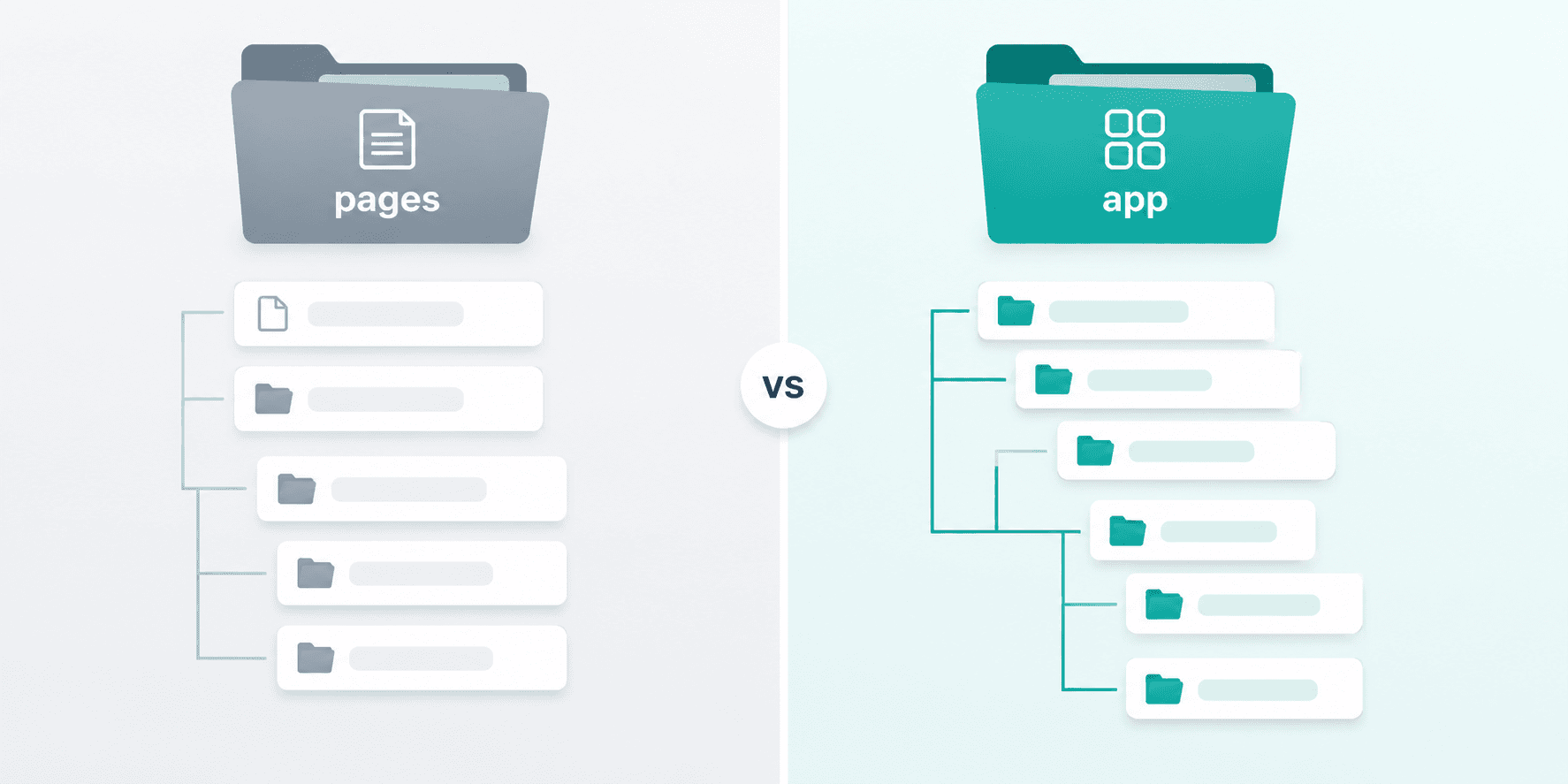
Q5. What's the difference between the Pages Router and the App Router?
| Pages Router | App Router | |
|---|---|---|
| Folder | pages/ | app/ |
| Data fetching | getStaticProps, getServerSideProps | async Server Components + fetch |
| Layouts | Manual, via _app.js | Native, via layout.tsx (nested) |
| Rendering model | Client Components by default | Server Components by default |
| Streaming | Limited | Built-in via loading.tsx + Suspense |
The App Router (stable since Next.js 13.4) is the modern standard, and almost all new features since then — Server Actions, Cache Components, the after() API — only exist in the App Router. For the full technical reference, see the official Next.js App Router documentation.
Q6. Is the Pages Router still relevant?
Yes — many production codebases still run on it, and interviewers may ask you to explain it or describe a migration path. But greenfield projects should default to the App Router.
Q7. How would you migrate a project from Pages Router to App Router?
Migrate incrementally, route by route, rather than rewriting everything at once:
- Start with non-critical, low-risk routes.
- Replace
getStaticProps/getServerSidePropswith directasyncdata fetching in Server Components. - Move shared UI into
layout.tsxfiles. - Identify which components truly need interactivity and mark only those with
"use client". - Test each migrated route before moving to the next.
3. Rendering Strategies (SSR, SSG, ISR, CSR)

Q8. Explain SSG, SSR, ISR, and CSR in simple terms.
- SSG (Static Site Generation): Page is built once at build time. Fastest option — great for blogs, marketing pages, docs.
- SSR (Server-Side Rendering): Page is rendered fresh on every request. Best when content must always be up to date (dashboards, personalized pages).
- ISR (Incremental Static Regeneration): A static page that automatically re-generates in the background after a set time or on-demand — the best of both speed and freshness.
- CSR (Client-Side Rendering): The browser fetches data and renders after the page loads. Useful for highly interactive, non-SEO-critical UI like admin panels.
Q9. When would you choose ISR over SSR?
Choose ISR when data changes occasionally (product listings, blog content) but you still want the speed of a cached page. SSR is better when every visitor genuinely needs the freshest possible data (real-time dashboards, stock prices).
Q10. What is streaming, and how do you implement it?
Streaming lets the server send parts of a page to the browser as soon as they're ready, instead of waiting for everything to finish. In the App Router, this happens automatically with Suspense boundaries and loading.tsxfiles — slow data-fetching sections don't block the rest of the page from rendering.
Q11. What is Partial Prerendering (PPR) / the newer "Instant Navigations" model?
Partial Prerendering combines a static shell (prerendered instantly) with dynamic content streamed in afterward — so a page can feel instant while still showing personalized or live data. Newer Next.js 16.3 previews build on this idea with Instant Navigations and Partial Prefetching, caching a reusable route "shell" on the client so navigation feels immediate while the rest of the content streams in.
4. Server Components vs Client Components

Q12. What are Server Components, and why are they the default?
Server Components render entirely on the server and never ship their code to the browser. They're the default in the App Router because they reduce the amount of JavaScript sent to the client, can safely access databases or secrets, and improve initial load performance. See the official Server and Client Components docs for the full reference.
Q13. When do you need a Client Component?
Whenever you need:
- State (
useState,useReducer) - Effects (
useEffect) - Event handlers (
onClick,onChange) - Browser-only APIs (
window,localStorage)
You mark a file as a Client Component by adding "use client" at the very top.
Q14. Why does useState throw an error, or why is window undefined in my component?
This is a classic interview trap. It usually means you're trying to use client-only features inside a Server Component. The fix isn't to convert the whole page — it's to isolate just the interactive part into its own small Client Component and keep everything else on the server.
Q15. Can Client Components import Server Components?
Not directly — but you can pass a Server Component in as a child (via children props) to a Client Component. Data flows one direction: Server Components can render Client Components, but not vice versa through direct imports.
Q16. What is hydration, and what causes a hydration mismatch error?
Hydration is when React attaches interactivity to the server-rendered HTML already in the browser. A hydration mismatchhappens when the HTML generated on the server doesn't match what React renders on the client — often caused by using Date.now(), random values, or browser-only checks directly in rendering logic without guarding them properly.
5. Data Fetching & Caching

Q17. How does data fetching work in the App Router?
You fetch data directly inside async Server Components using standard fetch() or a database client — no special functions like getServerSideProps are needed anymore.
Q18. What are the different caching layers in Next.js?
Interviewers love this one. Broadly:
- Request memoization — dedupes identical
fetchcalls within a single render. - Data cache — persists fetched data across requests and deployments until revalidated.
- Full route cache — caches the rendered HTML/RSC output for static routes.
- Router cache (client-side) — caches route segments in the browser for instant back/forward navigation.
Q19. What are "Cache Components," introduced around Next.js 16?
Cache Components make caching explicitrather than implicit — instead of guessing whether a route is static or dynamic, you opt specific components or data into caching intentionally, giving more predictable control over what's cached and for how long.
Q20. How do you revalidate stale data?
- Time-based: set a revalidation interval on a
fetchcall. - On-demand: call
revalidatePath()orrevalidateTag()from a Server Action or Route Handler after data changes (e.g., after a new blog post is published).
Q21. How would you build a product page where the description rarely changes but price/stock changes often?
Split the page by data volatility instead of treating it as one rendering mode: keep the title, images, and description statically generated or cached, and fetch price/stock with a short revalidation window or tag-based revalidation tied to inventory updates. This is a very common "real-world" interview scenario.
6. Routing Patterns
Q22. How does file-based routing work in the App Router?
Each folder inside app/ becomes a route segment. A page.tsx file makes that folder publicly accessible as a route; a layout.tsx wraps it and any nested routes with shared UI.
Q23. What are Route Groups?
Folders wrapped in parentheses, like (marketing), that organize files without affecting the URL. Useful for separating marketing pages from authenticated app pages while keeping clean URLs.
Q24. What are Parallel Routes and Intercepting Routes?
- Parallel routes (
@slotfolders) let you render multiple independent pages in the same layout simultaneously — handy for dashboards with several independent panels. - Intercepting routes (
(.)foldersyntax) let you "intercept" a navigation to show it in a modal (e.g., an image opens as a modal on top of a feed) while still supporting a full page reload at that URL.
Q25. What is generateStaticParams used for?
It tells Next.js which dynamic route values (like blog slugs or product IDs) to pre-render at build time, similar in spirit to getStaticPaths from the Pages Router.
7. Server Actions & Route Handlers
Q26. What are Server Actions?
Server Actions are functions marked with "use server"that run only on the server but can be called directly from your UI — for example, from a form submit — without manually creating an API endpoint. They're commonly used for mutations like creating a record or submitting a form.
Q27. What's the difference between a Server Action and a Route Handler?
- Server Actionsare called directly from your own app's UI (forms, buttons) — they can't be reached by external clients like a mobile app.
- Route Handlers (
route.tsfiles) define real HTTP endpoints — used for webhooks, third-party integrations, or any client outside your Next.js app.
Q28. How do you handle form validation with Server Actions?
Validate on both sides: client-side validation gives instant feedback for a better UX, while server-side validation is what actually enforces the rule, since client checks can always be bypassed. A solid implementation also handles pending/loading state and shows accessible error messages.
Q29. What is the after() API?
after() lets you run code (like logging or sending an analytics event) after a response has already been sent to the user, without making them wait for that extra work to finish.
8. Middleware / Proxy, Auth & Security
Q30. What is Middleware, and where does it run?
Middleware runs before a request completes, letting you modify the request/response, redirect, or block access — commonly used for authentication checks and internationalization. It runs on a lightweight Edge Runtime for speed. Note: recent Next.js versions have renamed middleware.ts to proxy.ts to better reflect what it actually does.
Q31. Where should secrets and API keys live?
Only in server-side code — Server Components, Server Actions, or Route Handlers. Never in Client Components or in environment variables prefixed for public/browser exposure, since anything shipped to the client is visible to anyone.
Q32. How would you protect an authenticated dashboard route?
Check the user's session before rendering — typically in Middleware/Proxy for a fast redirect, and again inside the Server Component for defense in depth. Fetch user-specific data using server-side, request-aware credentials, and avoid accidentally caching a private response as if it were shared/public data.
9. Performance, Images & SEO

Q33. Why use next/image instead of a plain <img> tag?
next/image automatically resizes, compresses, lazy-loads (except for priority images), and serves images in modern formats, which improves both load speed and Core Web Vitals scores without manual work. If page speed is hurting your rankings, our digital marketing & SEO team can audit it for you.
Q34. Why use next/font instead of linking Google Fonts directly?
It self-hosts fonts at build time, eliminating extra network requests to external font servers and preventing layout shift caused by late-loading fonts.
Q35. What is the Metadata API used for?
It lets you define title tags, meta descriptions, and Open Graph data directly from layout.tsx or page.tsx files — statically or dynamically generated from actual page data — which is essential for SEO and social sharing previews. Reference: Next.js Metadata API docs.
Q36. How do you optimize Core Web Vitals in a Next.js app?
- Use
next/imageandnext/fontinstead of manual tags - Keep Client Components small and push interactivity down the tree, not up
- Use Suspense/streaming so slow data doesn't block the whole page
- Avoid unnecessary
"use client"boundaries, which bloat the JS bundle
10. Advanced / Senior-Level Questions
Q37. What are the four rendering/execution boundaries you should always identify?
Server, client, build time, and request time. Senior candidates are expected to name which boundary a feature runs in and why it matters for the product (SEO, freshness, secrets, or interactivity) — not just define the term.
Q38. Edge Runtime vs Node.js Runtime — what's the difference?
The Edge Runtime is a lighter, faster JavaScript runtime that runs closer to the user geographically, but it doesn't support all Node.js APIs. The Node.js runtime supports the full Node ecosystem but has a higher cold-start cost. Choose Edge for latency-sensitive logic like auth checks or redirects, and Node for anything needing full library support.
Q39. How do you handle a slow third-party API call without blocking the whole page?
Wrap the slow component in a <Suspense> boundary with a fallback UI, so the rest of the page renders and streams in immediately while that one section loads independently.
Q40. What are common mistakes that bloat a Next.js app's JavaScript bundle?
- Adding
"use client"to components that don't actually need interactivity - Importing large libraries into Client Components instead of keeping them server-side
- Importing server-only modules accidentally into client code
Q41. How would you self-host a Next.js app instead of using Vercel?
Next.js runs on any platform supporting Node.js 20+ (or a container). Core features like Server Actions and Cache Components work the same self-hosted. What you typically lose is Vercel's managed image optimization scaling and shared ISR edge cache — you'd need to size your own server for image processing and wire up a caching layer (like Redis) yourself. Teams that would rather not manage this themselves often use our cloud hosting services.
11. Quick Cheat-Sheet Table
| Concept | One-line definition |
|---|---|
| App Router | File-based routing in app/, built on React Server Components |
| Server Component | Renders on server, zero client JS cost, default in App Router |
| Client Component | Marked with "use client", needed for state/events/browser APIs |
| SSG | Built once at build time — fastest, least fresh |
| SSR | Rendered on every request — freshest, slower |
| ISR | Static page that auto-refreshes on a timer or on demand |
| Server Action | "use server" function callable directly from your UI |
| Route Handler | route.ts — a real HTTP endpoint for external clients |
| Middleware / Proxy | Runs before a request completes, e.g. for auth redirects |
| generateStaticParams | Declares which dynamic routes to pre-render at build time |
| Hydration | Attaching interactivity to server-rendered HTML in the browser |
12. Interview Tips

- Always name the execution boundary. Server, client, build-time, or request-time — this single habit signals real understanding.
- Connect features to product reasons. Don't just define ISR — explain whyyou'd pick it for a blog versus a live dashboard.
- Know the trap questions. "Why is
windowundefined?" and "Why can't I useuseStatehere?" almost always trace back to a missing"use client"boundary. - Practice explaining trade-offs out loud, not just definitions — interviewers are increasingly testing decision-making, not memorization.
- Brush up on the Pages Router basics even if you mainly use the App Router — many production codebases still contain legacy routes.
Good luck with your interview! Bookmark this guide and revisit the Quick Cheat-Sheet Table the night before your interview for a fast refresher. Looking to grow your career in tech? See open roles at Tech Geum.